
Face Swap studio
Face swap video online with one photo
Upload a clip or pick a trend, add one clear photo, and ActLike AI rebuilds the person in every frame as you: face, hair, build and outfit. The motion, camera and original sound stay. It runs in your browser on a phone or computer, with no app to install.
One-time packs from 15 credits for $3.49 (US list price), no subscription. You set everything up before signing in and see the exact credit cost first.
At a glance
- You add
- A short clip (or a ready-made trend) and one clear photo per person.
- What changes
- The whole performer: face, hair, skin tone, build and clothes come from the photo.
- What stays
- Pose, gestures, timing, camera moves, background and the original sound.
- Clip limits
- MP4 or MOV, up to 120 seconds and 250 MB; 1080p for clips up to 30 s.
- Cost
- 1 credit per second at 480p, 2 at 720p, 3 at 1080p (clips up to 30 s). A 10-second clip is 10 credits at 480p.
- Time and privacy
- Usually 2 to 6 minutes. Uploads are deleted after about 3 days and never used to train AI models.
Updated 22 November 2026 by ActLike AI. Prices and limits are the web studio’s current rules.
How to face swap a video in three steps
- 1
Choose the video
Upload an MP4 or MOV of up to 120 seconds, or press “Or use a trend” to start from a ready-made viral clip with its shots and sound already set.
- 2
Add your photo
Add one sharp photo of yourself, or of an adult who agreed, alone in the picture with the face fully visible. Add a second photo of the same person for a closer likeness; to swap two people, use Two-Person Swap.
- 3
Pick a quality and make it
Choose 480p, 720p or 1080p, tick the consent box, sign in with Google or email and render. Download the MP4 or share it from the result page.
Start from a ready-made trend
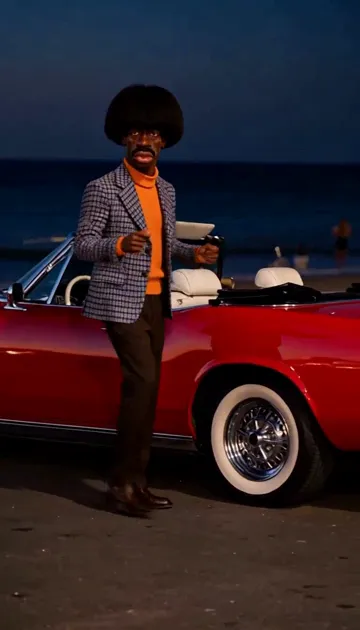
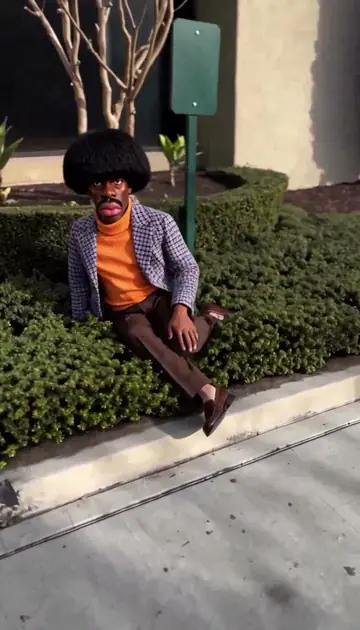
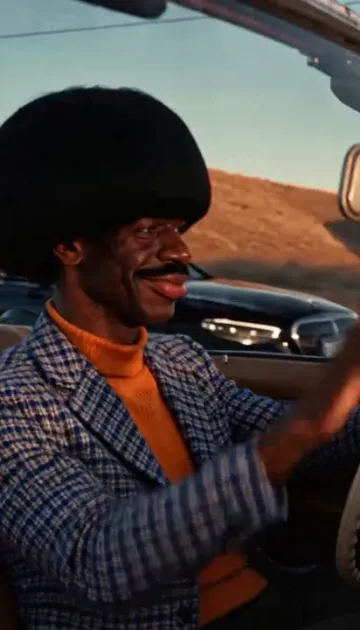
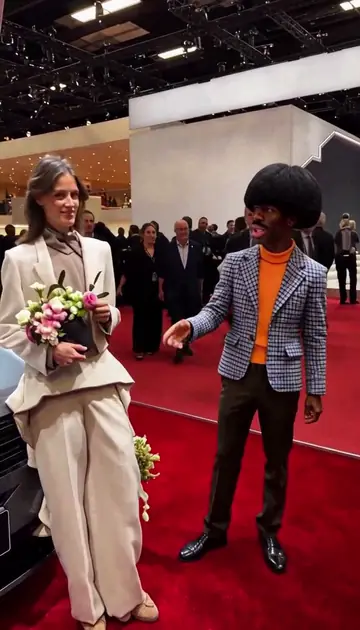
No clip of your own? Each trend is a short viral video with its moves, camera and sound ready. Add one photo and you play the lead role.

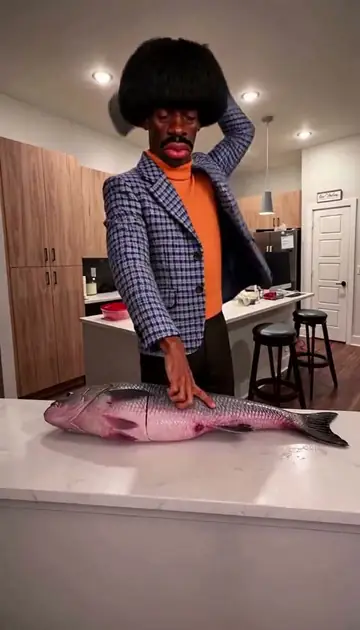
What people make with Face Swap
Star in a viral trend
Drop yourself into a meme or dance while the format is still trending, then post it as a Reel, Short or TikTok.
Birthday and holiday surprises
Put a friend who agreed into a funny clip for a birthday, a wedding toast or a Christmas card video.
Character and costume tests
Try a look before a shoot: upload a reference clip and a photo in costume to see how it moves on camera.
Ad and UGC concept drafts
Show a client how a script plays with a different presenter before booking talent. Label drafts as AI-generated.
What is a face swap video, and what does ActLike AI change?
A face swap video takes an existing clip and puts a different person into it. Older face swap apps paste a new face over the original one, so the hair, body and clothes of the first person stay and the edges often flicker when the head turns. ActLike AI works differently: it rebuilds the whole performer from your photo, frame by frame, and keeps everything that happens in the clip.
| From your photo | From the clip |
|---|---|
| Face, eyes and expression range | Pose, gestures and timing |
| Hair, skin tone and build | Camera moves, framing and cuts |
| Outfit and accessories you are wearing | Background, lighting direction and original sound |
Which photo gives the best face swap?
The photo goes to the AI as it is, so what the photo shows is what the video shows. Match the photo to the shot: a close-up needs a sharp face and upper body; a clip where the person walks or dances needs a full-body photo from head to shoes.
- You are alone in the picture, facing the camera or slightly turned, with the whole face visible.
- Soft, even light. Sunglasses, hats, masks or a hand over the face make the result worse.
- Wear the outfit you want in the video: the clothes in the photo are the clothes on screen.
- JPG or PNG under 10 MB. Chrome cannot open iPhone HEIC photos, so save those as JPG first.
- A dog or cat photo works too: the pet is redrawn as an upright character that plays the role.
Which clips work best for a face swap video?
Any clip up to 120 seconds is accepted, but short, steady clips give the cleanest results. For a first try, pick 5 to 15 seconds where the person you replace stays in frame and nobody walks in front of them.
- 1One continuous shotHard cuts and very fast turns are where details drift. Trim the clip to the part you want to share.
- 2A clear targetIf two or more people are in the shot, describe who should change, for example “the man on the left in the blue shirt”.
- 3PermissionUse a clip you filmed or have the right to edit. Public figures and sexual content are not allowed.
Short of a good clip? The trend library has clips already chosen for this: each trend page says which photo it needs and what it costs.
How much does a face swap video cost?
A face swap video costs credits per second of the clip, rounded up: 1 credit per second at 480p, 2 at 720p, 3 at 1080p (clips up to 30 s). A character you describe in words instead of a photo adds 1 credit. Adding a second person in your own clip does not change the rate.
| Clip length | 480p | 720p | 1080p |
|---|---|---|---|
| 5 s | 480p: 5 credits | 720p: 10 credits | 1080p: 15 credits |
| 10 s | 480p: 10 credits | 720p: 20 credits | 1080p: 30 credits |
| 15 s | 480p: 15 credits | 720p: 30 credits | 1080p: 45 credits |
| 30 s | 480p: 30 credits | 720p: 60 credits | 1080p: 90 credits |
Credits come in one-time packs: Mini is 15 credits for $3.49 and Starter is 50 credits for $11.49 (US list prices). Cards are charged in Turkish lira (TRY), the amount shown on the payment step. Outside Türkiye your bank converts it to your currency. If a render fails, its credits return to your balance automatically. All packs are on the pricing page.
Is there a free face swap video maker?
ActLike AI does not render videos for free, because every second is generated on paid GPUs. Browsing trends, uploading your clip and photo, and seeing the price are free; you sign in and pay only when you press render, and only if your balance is short. A new account gets 15 to 20% off its first web pack for 24 hours after its first sign-in.
Can I face swap a video on my phone?
Yes. The web studio works in Safari and Chrome on iPhone and Android, so there is nothing to install. The ActLike AI iPhone app uses the same account and credit balance once the app account is saved with Google or email. Step-by-step phone guides: face swap a video on iPhone and on Android.
Is it allowed to face swap someone else?
Only with their permission. Before every render you confirm that the photo is yours or used with consent, shows no public figure and nothing sexual, and that you will share the result as AI-generated. The website and card purchases are for adults 18 and over. Turn on the platform’s AI label when you post, and read the acceptable use policy for the full rules.
Face Swap or Car Swap: which studio do you need?
Both studios edit a real video instead of animating a still image, and both bill the same way: 1 credit per second at 480p, 2 at 720p and 3 at 1080p. The difference is what gets replaced.
| At a glance | Face Swap | Car Swap |
|---|---|---|
| What changes | The whole person: face, hair, build and outfit | The vehicle: body, paint, wheels and trim |
| What you add | One or two photos of the person (two people in Two-Person Swap), or a description | Two photos of the same car: front and side or rear three-quarter |
| What stays | Motion, timing, camera, background and original sound | The shot, camera movement and the rest of the scene |
| Ready-made clips | Trend clips such as Seaside Arrival and Gentleman Move | Christmas Car Delivery |
Guides and ideas
All guides →- TutorialsHow to Put My Face in a Video With AIStart with one face photo and a clip you may reuse. How to choose a shot that works, what the app replaces, and what to check before you share.Read the guide
- TutorialsHow to Face Swap a Video on iPhone (Whole Character)Prepare your clip and character, choose a quality, and understand the credit cost before generating on iPhone.Read the guide
- Quality and settingsFace Swap Video in High Quality: Inputs and 720p HD SettingsWhat 720p changes, what it cannot fix, and how to choose inputs that hold up when the head moves.Read the guide
- TutorialsHow to Replace a Person in a Video With AI: From Clip to Finished VideoEverything a first-time user needs: which clips work, which photos fail, what each setting costs, and how to fix a soft result.Read the guide
Face swap video questions
How do I face swap a video online?
Open actlikeai.video/create, upload a clip of up to 120 seconds or pick a trend, add one clear photo, choose 480p, 720p or 1080p and render. ActLike AI replaces the person and keeps the motion, camera and original sound. A 10-second clip costs 10 credits at 480p.
Does ActLike AI swap only the face?
No. ActLike AI rebuilds the whole performer from your photo, so the face, hair, build and outfit all change. The clip keeps its pose, gestures, timing, camera and sound.
How long does a face swap video take?
Most renders finish in 2 to 6 minutes. You can leave the result page while it works; finished videos stay in My videos for about 90 days.
Can I swap two people in one video?
Yes, in the Two-Person Swap studio at actlikeai.video/create/two-person-swap. Add one photo for each person and describe who is who, for example “the woman on the right”. The credit rate stays the same.
Can I add two photos of myself?
Yes. In your own clip, add a second photo of the same person, for example another angle or a full-body shot. Both photos describe one person, which sharpens the likeness, at no extra cost.
What video length and format can I upload?
MP4 or MOV, up to 120 seconds and 250 MB. 1080p is offered for clips up to 30 seconds.
Can I face swap my dog or cat into a video?
Yes. Add a dog or cat photo instead of a person: the AI first redraws the pet as an upright character with paws, then puts it into the clip in the person’s role. Sushi Master is the trend that suits pets best.
Keep reading
- Face Swap studioUpload a clip and a photo and see the cost before signing in.
- AI video trendsViral clips ready for one photo.
- Put my face in a videoChoosing the photo and the clip, with examples.
- High-quality face swap480p vs 720p vs 1080p and the inputs that matter.
- Recorded exampleA real before and after with the photo used.
- AI Car SwapReplace the car in a video instead of the person.
Face swap video online with one photo
One-time packs from 15 credits for $3.49 (US list price), no subscription. You set everything up before signing in and see the exact credit cost first.
Open Face Swap studio



 Listed on Dang.ai