
AI video trends you can star in
Pick a viral clip, add one clear photo of yourself, and ActLike AI puts you in every shot with the original moves, camera and sound. No editing, no app needed: it all happens in your browser.
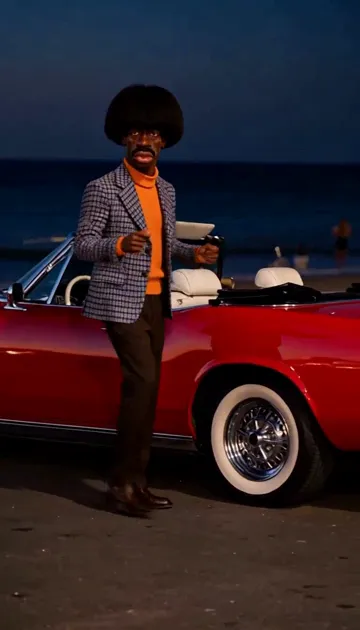 Seaside Arrival11 credits · Mini pack
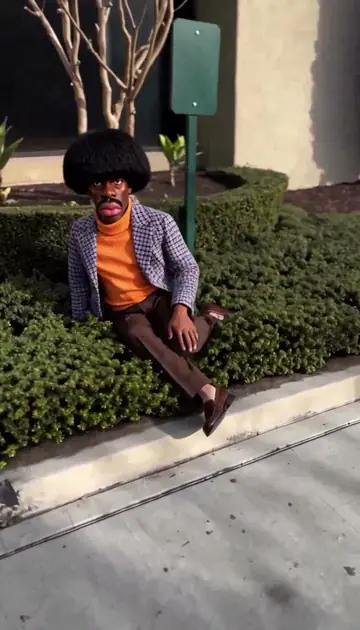 Gentleman Move9 credits · Mini pack
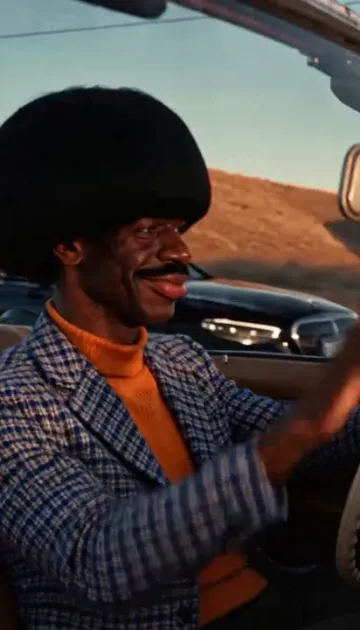 Road Trip Reunion30 credits · Starter pack
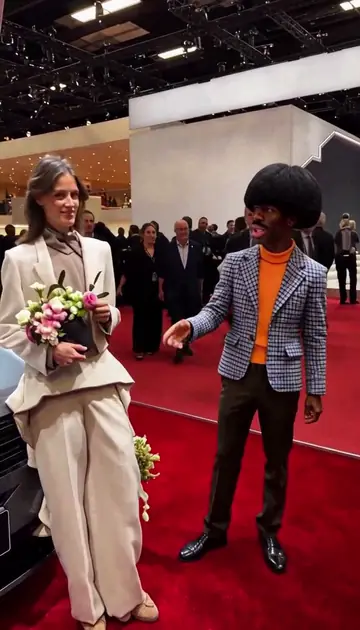 Aura Farming19 credits · Starter pack
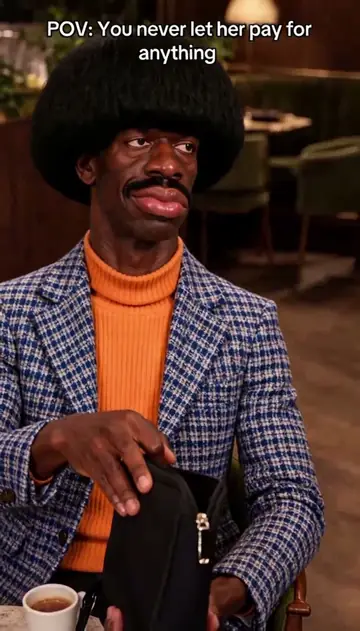 Dinner's On Me12 credits · Mini pack
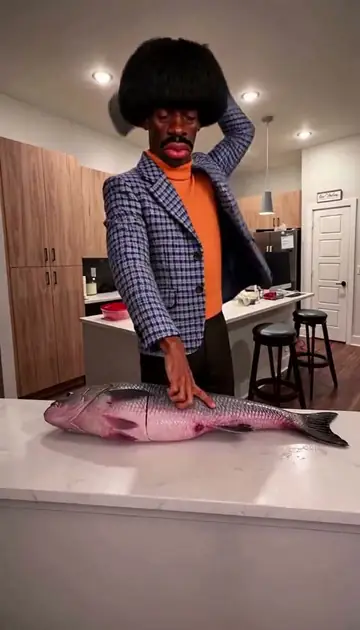 Sushi Master11 credits · Mini pack
Have your own clip instead? Upload it on the create page and say who in it should become you.
How an AI video trend works
- 1. Pick a trend. Each one is a short viral clip with its shots, timing and sound ready.
- 2. Add one photo. A clear photo of you, alone in the picture. Your face, hair and clothes come from it.
- 3. Make the video. The AI rebuilds the person in every shot as you, follows the original moves and keeps the sound. It takes a few minutes.
Trends cost 1 credit per second at 480p and 2 at 720p, from one-time packs with no subscription. See pricing.
Guides for better results
- How to put your face in a video — choosing the photo and the clip.
- Getting an HD result — 480p vs 720p and the inputs that matter.
- Become an original character — in the iPhone app, describe it in words instead of adding a photo.
- Recorded examples — real inputs, settings and costs.
How do you use the AI video trend maker for TikTok, Reels or Shorts?
With ActLike AI, you pick a trend, add one photo, make the video, save the MP4 and post it with the AI-generated setting turned on.
- 1Pick a trendOpen a trend page above and press Use this trend. The studio opens with that trend already chosen.
- 2Add one photoFull body for Seaside Arrival, Gentleman Move and Aura Farming, waist up or full body for Road Trip Reunion, face and upper body for Dinner's On Me and Sushi Master, with nobody else in the picture. The photo guide below has the details.
- 3Make it at 480p, 720p or 1080pSet it all up and tick the consent box before signing in, then sign in with Google or email. You buy a pack only if your balance is short.
- 4Download the MP4Press Download MP4 on the result page, or on a phone press Share to send the video file through your phone's share sheet. The file keeps the trend's own shape (vertical, or 4:3 for Road Trip Reunion), keeps the original sound and stays available for about 90 days.
- 5Post it with the AI labelPost it on TikTok, YouTube Shorts or Instagram Reels with the AI-generated label on, and mention AI in the caption. Post only if everyone whose photo you used agreed.
Caption ideas and the checks to make before posting are in the guide on how to make trending AI videos.
Do you need a prompt to make an AI trend video?
No, an ActLike AI trend needs one photo and nothing typed: the clip already sets the scene, the moves, the camera and the sound. Most trend prompts shared online are written for image or text-to-video generators, which build a new picture or scene from words. Here the clip stays as it is, and only the person in its one fixed role changes.
Which photo works for each trend?
Use a full-body photo for Seaside Arrival, Gentleman Move and Aura Farming, a waist-up or full-body photo for Road Trip Reunion and a face-and-upper-body photo for the other trends, always alone in the picture and in even light.
- Seaside Arrival: head to shoes, standing, since you are seen whole as you step out of the convertible, dance and walk away; the outfit in the photo is the one you arrive in.
- Aura Farming: head to shoes, standing and dressed for a gala; the outfit in the photo is what you wear on the red carpet.
- Road Trip Reunion: waist up or full body, since you are seen seated at the wheel of a convertible; the jacket in the photo is the one you drive in.
- Gentleman Move: head to shoes, standing, so your shoes and trousers show while you walk and sit in the hedge.
- Dinner's On Me: face and upper body, in an outfit that fits a nice restaurant.
- Sushi Master: face and upper body, ideally with a straight face. A dog or cat photo also works here: the pet is redrawn as an upright chef character before it goes into the clip.
Which AI video trends are new?
Seaside Arrival is the newest ActLike AI trend, added on November 16, 2026. Road Trip Reunion was added on November 15, 2026.
| Trend | Added | Billed length | 480p | 720p |
|---|---|---|---|---|
| Seaside Arrival | Added: Nov 16, 2026 | Billed length: 11 s | 480p: 11 credits | 720p: 22 credits |
| Road Trip Reunion | Added: Nov 15, 2026 | Billed length: 30 s | 480p: 30 credits | 720p: 60 credits |
| Aura Farming | Added: Nov 12, 2026 | Billed length: 19 s | 480p: 19 credits | 720p: 38 credits |
| Gentleman Move | Added: Nov 11, 2026 | Billed length: 9 s | 480p: 9 credits | 720p: 18 credits |
| Dinner's On Me | Added: Nov 10, 2026 | Billed length: 12 s | 480p: 12 credits | 720p: 24 credits |
| Sushi Master | Added: Nov 10, 2026 | Billed length: 11 s | 480p: 11 credits | 720p: 22 credits |
New trends show up in the studio's trend picker shortly after they are published. Each trend listed here also has its own page with its story, cost and photo tip.
Can you use your own clip instead of a trend?
Yes. When no trend here fits, you can put yourself in a video of your own: upload the clip and your photo, and the motion, camera and sound stay.
- Short, single-shot clips work best: about 5 to 15 seconds, with the person you replace in frame the whole time and no cuts or crowds.
- MP4 or MOV under 250 MB, filmed by you or used with permission.
- A 10-second clip is 10 credits at 480p and 20 at 720p.
Questions about AI video trends
How do I put myself in a viral video trend?
To put yourself in a viral video trend on ActLike AI, open the trend's page, press Use this trend and add one clear photo of you. Choose 480p, 720p or 1080p, tick the consent box, sign in with Google or email and pay with prepaid credits (9 to 30 at 480p for today's trends). The person in the clip is then replaced by you, while the moves, camera and original sound stay. It works in a phone or computer browser, Android included. The iPhone app uses the same account and credits once the app account is saved with Google or email.
How much does a trend video cost?
An ActLike AI trend video costs 9 to 30 credits at 480p or 18 to 60 credits at 720p, because each second of the clip, rounded up, uses 1 credit at 480p or 2 at 720p. Web packs are one-time payments from 15 credits for $3.49 (US list price), with no subscription, paid on Shopinext's secure card page. Cards are charged in Turkish lira (TRY), the amount shown on the payment step. Outside Türkiye your bank converts it to your currency. If a video fails, its credits go back to your balance automatically.
Is there a free AI trend video maker?
ActLike AI does not render videos for free. Browsing trends and setting up a video cost nothing, but making the video uses prepaid credits. The smallest web pack costs $3.49 (US list price). Mini (15 credits) covers Seaside Arrival, Gentleman Move, Dinner's On Me or Sushi Master at 480p; Road Trip Reunion (30 credits) needs Starter; Aura Farming (19 credits) needs Starter. A new account gets 15 to 20% off its first web pack for 24 hours after its first sign-in. There is no subscription, credits do not expire while your account is open, and an unused web pack can be refunded within 14 days.
How long does a trend video take?
An ActLike AI trend video usually takes 2 to 6 minutes to render. The result page shows a progress bar, and you can leave it while it works: the finished video stays in My account for about 90 days.
What kind of photo works best?
For an ActLike AI trend, pick a sharp photo where you are alone, your face is fully visible and the light is soft and even; sunglasses, hats or hands over the face make the result worse. Gentleman Move and Aura Farming need a full-body photo from head to shoes; the other trends need the face and upper body. The photo goes to the AI unchanged, so the outfit, hair and build in the video are the ones in the photo. Use a JPG or PNG; Chrome cannot open iPhone HEIC photos, so save those as JPG first. Uploaded photos are deleted automatically after about 3 days and are not used to train AI models.
Can I use a friend's photo or my pet?
ActLike AI's rules allow a friend's photo only with that friend's permission, and never a photo of a public figure, anything sexual or anyone under 18. The website and card purchases are for adults 18 and over (the iPhone app is 13+, with a parent's or guardian's permission under the age of majority), and before making a video you tick a box confirming the photo is yours or used with consent, shows no public figure and nothing sexual, and will be shared as AI-generated. A dog or cat photo is accepted too: the pet is drawn as an upright character with paws and placed in the clip, which suits the Sushi Master chef best. Share every result as AI-generated.
How do I post a trend video on TikTok with the AI label?
Save the ActLike AI video from the result page (Download MP4, or Share on a phone) and upload it in TikTok. On TikTok's post screen, turn on the AI-generated content setting and say in the caption that the video was made with AI; the result page's Share button suggests the text 'Made with ActLike AI (AI-generated)'. On Instagram Reels and YouTube Shorts, turn on that app's AI or altered-content label when you upload.
Can two people be in one trend video?
ActLike AI puts two people in a video only on your own clip: on the create page, add a second photo and say who each person replaces, at no extra credits. A trend has one fixed role, so it takes one photo. Both photos need the permission of the person in them.



 Listed on Dang.ai